Plum News & Events
Live Events
Video Production
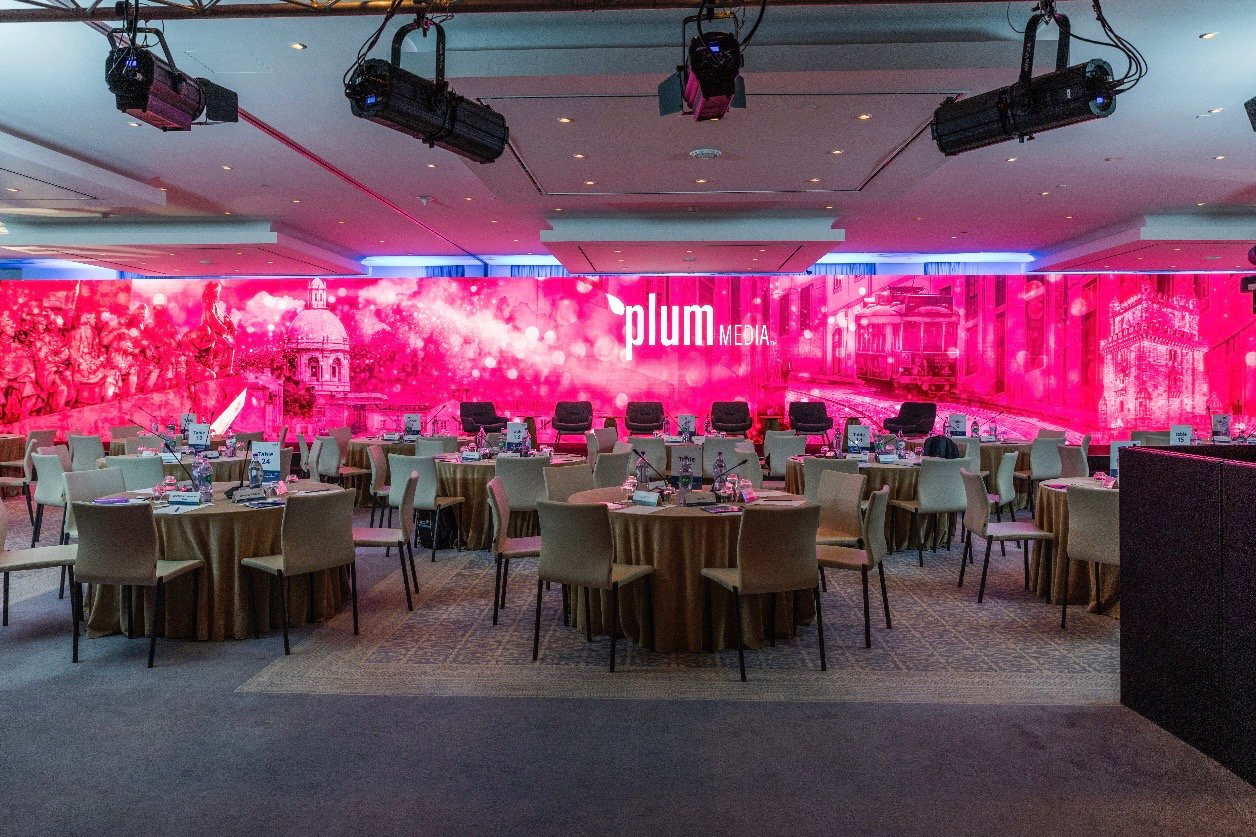

You've spent months preparing for your corporate live event. The leadership team is counting on you to deliver a polished experience. The last thing you need is a microphone that cuts out mid-keynote or a livestream that freezes during the CEO's announcement.
Here's the reality: most technical failures at corporate live events are preventable. They don't happen because of bad luck—they happen because of gaps in pre-show planning. When you address potential issues before show day, you give yourself the control and calm you need to deliver a professional experience.
Plum Media's producer-led approach to live event production focuses on exactly this: catching problems early so your audience experiences confidence, not chaos. This guide walks you through a step-by-step prevention framework that helps event marketing managers and corporate communications leaders eliminate technical surprises before they happen.
The first mistake many organizations make is waiting too long to bring in their production partners. When you engage your technical team late in the process, you lose valuable time for problem-solving and rehearsal.
Identify your core team members at least 8-12 weeks before your event. This includes your internal IT department, AV vendors, production partners, and any agency collaborators. Make sure everyone understands their responsibilities and has a single point of contact for decisions.
A producer-led model means having one person who owns the entire technical execution—from planning through show day. This eliminates the confusion that happens when responsibilities are split across multiple vendors with no clear leadership.
Your venue can make or break your event's technical success. Before signing any contracts, conduct a thorough technical walkthrough that goes beyond square footage and seating capacity.
Ask these critical questions during your site visit:
Document everything with photos and measurements. This information becomes your foundation for equipment selection and backup planning.
Redundancy isn't about being paranoid—it's about being prepared. Every piece of equipment that can fail during your live event production should have a backup ready to deploy instantly.
Your redundancy checklist should include:
Plum Media builds redundancy into every corporate live event because we've seen what happens when a single point of failure brings down an entire presentation. The audience never sees the backup system kick in—they see an event that runs smoothly.
A run-of-show document is more than a schedule—it's your playbook for coordinating every element of your event. When multiple teams, speakers, and technologies need to work together, this document keeps everyone aligned.
Your run-of-show should include:
Distribute this document to all stakeholders at least one week before the event. Review it during your technical rehearsal and update it based on what you learn.
Rehearsals are where you discover problems while there's still time to fix them. A proper technical rehearsal should simulate your actual event conditions as closely as possible.
Plan for at least two rehearsal sessions:
Technical walkthrough (2-3 days before): Test all equipment in the venue. Verify audio levels, video playback, lighting cues, and internet connectivity. Identify any issues that need resolution before show day.
Full dress rehearsal (1 day before): Run through the entire program with speakers present. Practice transitions, test presentation content on the actual screens, and confirm timing. This is when you catch problems like slides that don't display correctly or microphone feedback in certain positions.
Plum Media's producers run technical rehearsals with the same intensity as the actual event. When show day arrives, the team has already solved problems that might otherwise surface in front of your audience.
Executive-level speakers often have limited experience with live event technology. Their confidence in front of the audience depends partly on their comfort with the technical setup.
Support your speakers with:
When speakers feel prepared, they focus on their message instead of worrying about the technology. This translates directly to a more polished presentation for your audience.
If your event includes remote participants, treat your livestream as a distinct experience—not an afterthought. According to Stagetimer's event production guide, hybrid events require separate planning for in-room and remote audiences to succeed.
For successful live streaming:
Plum Media approaches hybrid events with broadcast-level discipline. Remote attendees should feel like valued participants, not afterthoughts watching a camera in the back of a room.
When problems arise during a live event, clear communication prevents small issues from becoming visible failures. Establish protocols before show day so everyone knows how to respond.
Your communication plan should address:
When the production team shares a clear chain of command, adjustments happen behind the scenes while your audience experiences an uninterrupted event.
The best prevention for future event technology challenges comes from learning what worked and what didn't. Build documentation into your process from the start.
After your event, capture:
This documentation becomes your foundation for preventing similar issues at your next corporate event.
Here's a summary checklist you can use to ensure you've covered the essential prevention steps:
| Timeline | Action Item | Owner |
|---|---|---|
| 8-12 weeks before | Engage production team and assign single point of contact | Event Lead |
| 8-12 weeks before | Conduct venue technical assessment | Production Team |
| 6-8 weeks before | Finalize equipment list with redundancy plan | Technical Director |
| 4-6 weeks before | Create detailed run-of-show document | Producer |
| 2-3 weeks before | Schedule and plan technical rehearsals | Producer |
| 1-2 weeks before | Test livestream platform and backup systems | Technical Team |
| 2-3 days before | Complete technical walkthrough at venue | Full Team |
| 1 day before | Full dress rehearsal with speakers | Full Team |
| Show day | Final equipment checks and communication test | Technical Director |
The most common causes include inadequate power planning, unreliable internet connectivity, untested presentation content, and insufficient rehearsal time. Plum Media addresses these risks through early venue assessments and redundant systems that activate instantly when primary equipment fails. Building backup workflows into your production plan prevents most visible failures.
Start engaging your production team 8-12 weeks before your event for large conferences or high-stakes meetings. This timeline allows for thorough venue assessment, equipment planning, rehearsal scheduling, and problem-solving. Events with complex livestreaming or hybrid components may require even earlier planning to test all technical systems properly.
Your redundancy plan should cover every critical technical element: backup microphones, secondary video sources, redundant internet connections, spare cables and adapters, and backup recording systems. Plum Media's approach to live event production treats redundancy as a standard requirement—not an optional upgrade. When a backup system activates, your audience never notices the switch.
Prevent livestream problems by testing your streaming platform thoroughly before event day, securing redundant internet connectivity (hardwired primary with cellular backup), and assigning a dedicated team member to monitor the remote experience. Treat your virtual audience as a distinct group with their own viewing needs, not as passive observers of an in-room event.
An effective technical rehearsal simulates actual event conditions. Run through the complete program with all equipment active, test every transition and cue, and have speakers practice with the real setup. Plum Media conducts rehearsals with the same intensity as show day so issues surface when there's time to resolve them rather than in front of your audience.
Technical failures don't have to be part of your corporate live events. When you follow a structured prevention framework and partner with experienced producers, you gain the control and confidence to deliver polished experiences every time.
Plum Media brings broadcast-level discipline to corporate event production. Our producer-led model means you work directly with the people who plan and execute your event—no handoffs, no communication gaps, and no surprises on show day.
Ready to plan your next event with a team that prioritizes prevention? Talk with a Plum Media producer about your upcoming corporate live event.